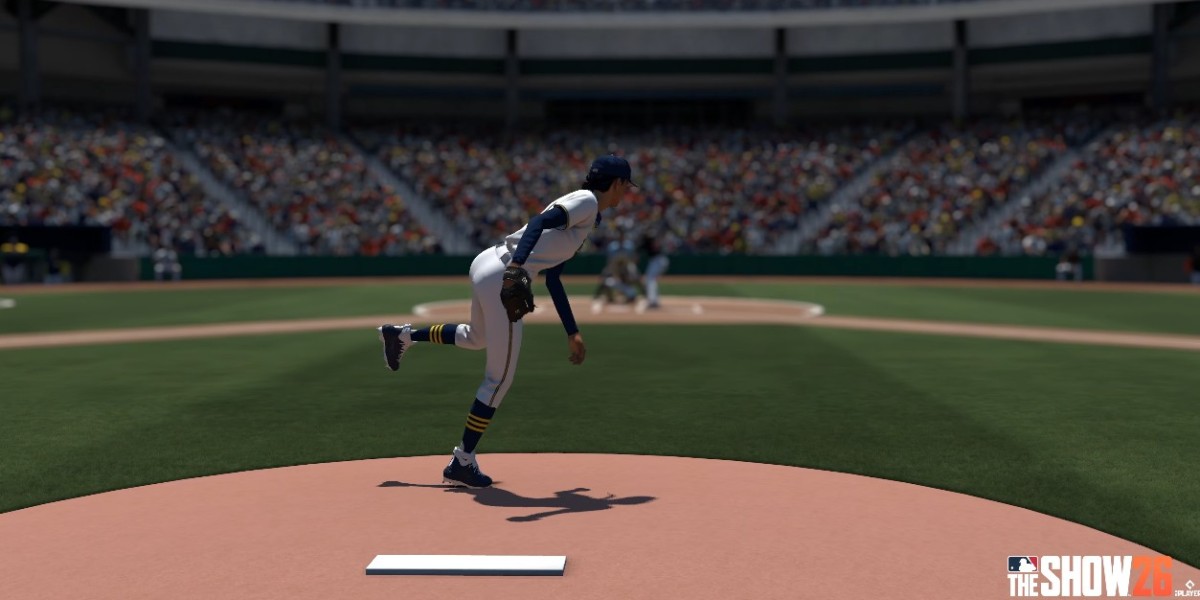

Every year, players jump into Diamond Dynasty thinking their stacked squad will carry them to the World Series division, only to get absolutely carved up by a 102 mph outlier fastball or look completely foolish swinging at a slider 2 feet out of the zone.
If you are struggling to make solid contact online in MLB The Show 26, it isn't because your thumbs are broken. Offline modes like Conquest or Ranked on lower difficulties lie to you. They trick you into thinking you have all day to react. Online gameplay introduces latency, smaller timing windows, and human opponents who actively exploit your bad habits.
To go from a free-swinger who panics on every pitch to a disciplined hitter who forces rage-quits, you need to change your settings, change your approach, and master the mental game.
1. Ditch the Visual Distractions (The Right Settings)
If you are still using the default "Fish Eye" or "Show 16" batting cameras, you are playing at a massive disadvantage. You cannot hit what you cannot clearly see.
The Fix: Go to your settings and change your Hitting Camera to Strike Zone or Strike Zone High.
Why it works: These angles zoom in directly behind the catcher. It shrinks your field of view so that the pitcher’s release point and the strike zone occupy 80% of your screen.
A New Addition: MLB The Show 26 features a Hitting Depth of Field toggle. Turn this on. It subtly blurs out the background stadium and fans when the pitcher throws, completely removing visual noise so your eyes lock onto the ball's seams immediately.
For your interface, Zone Hitting is mandatory for competitive play. Directional hitting is fine for casual offline grinding, but online players will paint the corners and leave you helpless. Set your swing input to Buttons and treat the Normal Swing (X on PlayStation, A on Xbox) as your default. Power swings shrink your Plate Coverage Indicator (PCI) too much, and contact swings yield weak pop-ups.
2. Eliminate "PCI Slamming" with the Tunneling Method
The biggest physical mistake players make is ripping the left analog stick all the way to the edge of the controller shell the second they see movement. This is called "PCI slamming."
If a pitcher throws an inner-third fastball, slamming your stick down and in means you miss the ball entirely. The strike zone is incredibly small; your analog stick only needs a millimeter of movement to cover it.
To train your brain, practice the Tunneling Method:
[Release Point] ---> (The Tunnel) ---> [Inside Corner / Strike Zone] ↳ Keep PCI anchored here pre-pitchAnchor Inside: Before the pitch, nudge your PCI slightly middle-in (for righty vs. righty) or high-and-in. High velocity inside fastballs destroy reaction times. By staying parked there, you eliminate the need to move your stick across the entire plate.
Watch the Release: Don't stare at the middle of the screen. Look directly at the pitcher’s fingers.
Use the Tunnel: Visualize an invisible cylinder running from the hand to the plate. If the ball enters that tunnel and stays straight, react. If it breaks hard out of that tunnel, let it go. Move your thumb in short, microscopic circles pre-pitch to keep your muscle fibers loose.
3. Play the Numbers Game: Working the Count
Online pitching is entirely psychological. Most players online do not want to throw strikes. They want to throw a low-and-away slider or a dirt-bound changeup to see if you will chase. If you swing at the first pitch three times in a row, you are teaching them that they never have to give you a hitable ball.
Try implementing the Take Until Two Strikes rule for the first three innings of a game.
The 3-Inning Audit: For the first 9 batters, do not swing unless a pitch is dead center, or until you have 2 strikes.
This accomplishes two critical goals:
It drains energy: By forcing an opponent to throw 5 to 6 pitches per batter instead of 1 or 2, you run up their pitch count. By the 5th inning, their starter's energy and confidence bars drop, which dynamically expands your timing windows and makes their pitches slower.
You get data: You learn their "wipeout" habits. Do they always throw a high-and-inside sinker on a 1-1 count? Do they panic and throw a middle-middle fastball when they fall behind 2-0?
4. Upgrading Your Squad Wisely
While user skill is paramount, trying to hit online with low-vision or low-contact cards makes a hard game impossible. Building a competitive lineup requires a healthy balance of premium players, and staying ahead of the meta means managing your marketplace efficiently.
If you are looking to skip the long offline grinding hours and quickly buy top-tier Signature or Awards series items from the marketplace, using reliable platforms like U4N to check out competitive MLB The Show stubs prices can help you optimize your Diamond Dynasty team budget without wasting days of your free time.
When buying or grinding for players, ignore pure Power numbers. Prioritize Contact (CON) and Vision (VIS). High contact directly expands the physical size of your inner PCI, giving you a massive cushion for error on Hall of Fame or Legend difficulties.
5. The Fastball-First Timing Checklist
You cannot adjust to a 103 mph fastball if you are looking for a changeup. You will be late every single time.
Always assume the upcoming pitch is the fastest one in that pitcher's arsenal. Mentally gear your thumb and timing to swing early.
If the ball comes out of the hand with an upward loop or a lazy spin, your brain will recognize it as an off-speed pitch. Because you were geared up for a fastball, you now have a split-second window to pause, keep your thumb relaxed, and delay your swing.
If the pitch is on the inside edge, trigger your swing early to pull it. If it is on the outer third of the plate, let the ball travel deep into the hitting zone near the catcher's mitt and intentionally drive it to the opposite field.
If your timing is constantly "Too Late" or "Too Early," jump into Custom Practice mode before jumping into a Ranked Solo game. Set the CPU pitcher to legendary difficulty and practice simply tracking the ball with your PCI without swinging for 5 minutes. When you head back into online play, the ball will look like it's moving in slow motion.